Expert Authentication·3 Locations·$15 Off Your First Purchase·Free Shipping on Orders $250+·Ships Same or Next Business Day·Overnight Delivery Options Available·No Order Fees·Pay in Installments·
Expert Authentication·3 Locations·$15 Off Your First Purchase·Free Shipping on Orders $250+·Ships Same or Next Business Day·Overnight Delivery Options Available·No Order Fees·Pay in Installments·
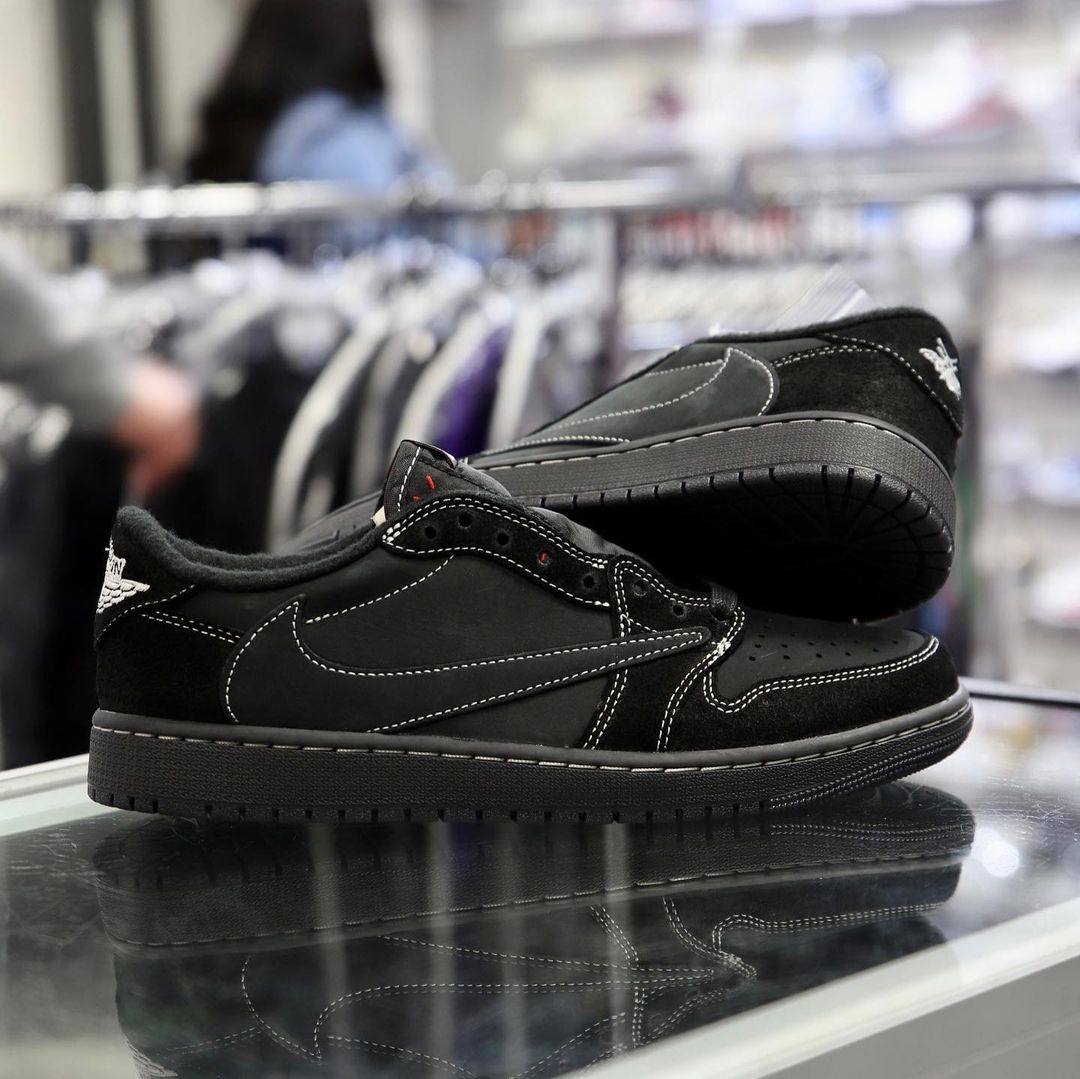
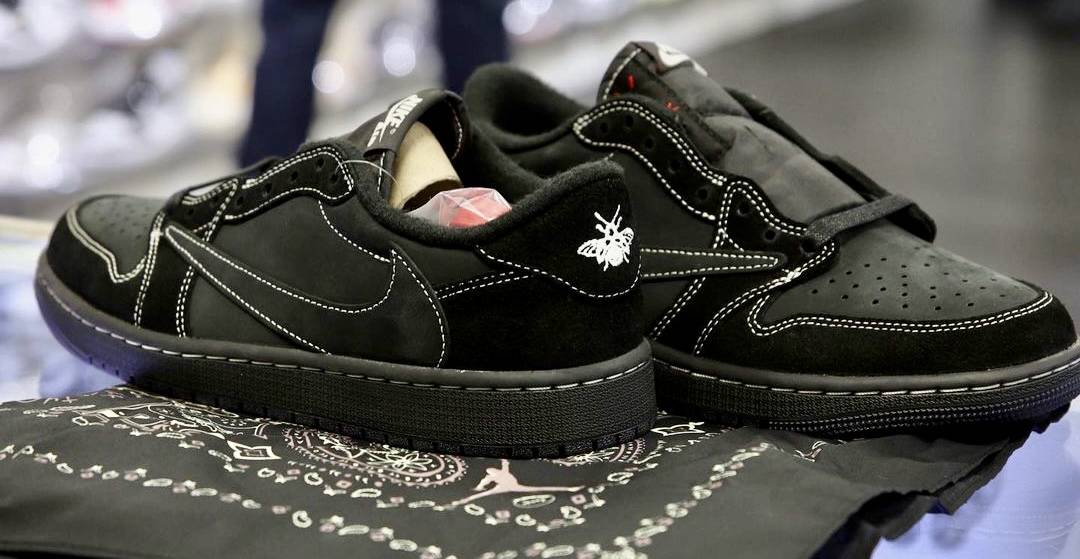
At the beginning of the month, we received the latest in Travis Scott’s collaborations, the AJ1 Low “Black Phantom”. This design features black suede coverage and a matching dark sole. Like Scott’s other collaborations, the shoe features an unconventional reverse swoosh on the outer panels of the shoe and the classic Nike swoosh on the inner panels. White stitching provides a subtle contrast, and red embroidery incorporates Cactus Jack branding. This stitching can be seen on the tongue of the shoe. Cactus jack branding also dons the medial panel in an easy-to-miss black. On the back, the sneaker features asymmetric embroidery: the left shoe with the Bee and Wings logo and the right resembling a classic Air Jordan heel. The insoles are covered with various Air Jordan and Travis Scott symbols colored in red and white.
Included in a purchase of the “Black Phantom” AJ1s is a sleek black box and several sets of laces. More classic red and black laces are included, but sneakerheads will also find a wider checkered option. You’ll also find wrapping paper omitted and in its place, find two black bandana dressing the shoes.
A strong inclusion in Travis Scott’s line of collaborations, we can expect the series finale sometime next year. Ready to pull the trigger? Bullseye has “Black Phantom” in stock now!
After copping the perfect sneakers, the rest of your fit can’t fall flat. Interested in streetwear to match? Here are some of the most popular brands, collections, and items in the streetwear world...
Step 1: Choose message placement
Click the button below and then hover over your page to select a placement.
Step 2: Paste and save
You have copied the placement for the Product Page.
Go back to the App Embeds section, and in the Paypal Advanced Settings, paste the copied value into the
Product Page field and click the 'Save' button in the top right corner.


Leave a comment
This site is protected by hCaptcha and the hCaptcha Privacy Policy and Terms of Service apply.